Logo

BioLab Holdings

Welcome
Login
Home Solutions
New support ticket
Check ticket status
Contact us @ 602-830-5119
Solution home General FAQ

Tracking changes in shared document Print

Created by: Stephen Hendrickson

Modified on: Wed, 11 Jun, 2025 at 3:22 PM


Sometimes it is needed to retrace your steps or a groups steps within document.


All Microsoft Office applications have this functionality.

  1. at the top click on the review button
  2. each program is a bit different 
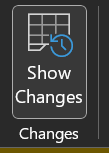
    • Excel 
    • Show changes that were made in a workbook - Microsoft Support
    • Word you have to turn on tracking of changes but then you can click through all changes.
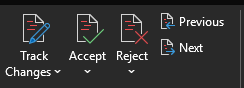
    • Track changes in Word - Microsoft Support

S
Stephen is the author of this solution article.

Did you find it helpful? Yes No

Send feedback
Sorry we couldn't be helpful. Help us improve this article with your feedback.

Related Articles

    Home Solutions Cookie policy
    Help Desk Software by Freshdesk
    Article views count