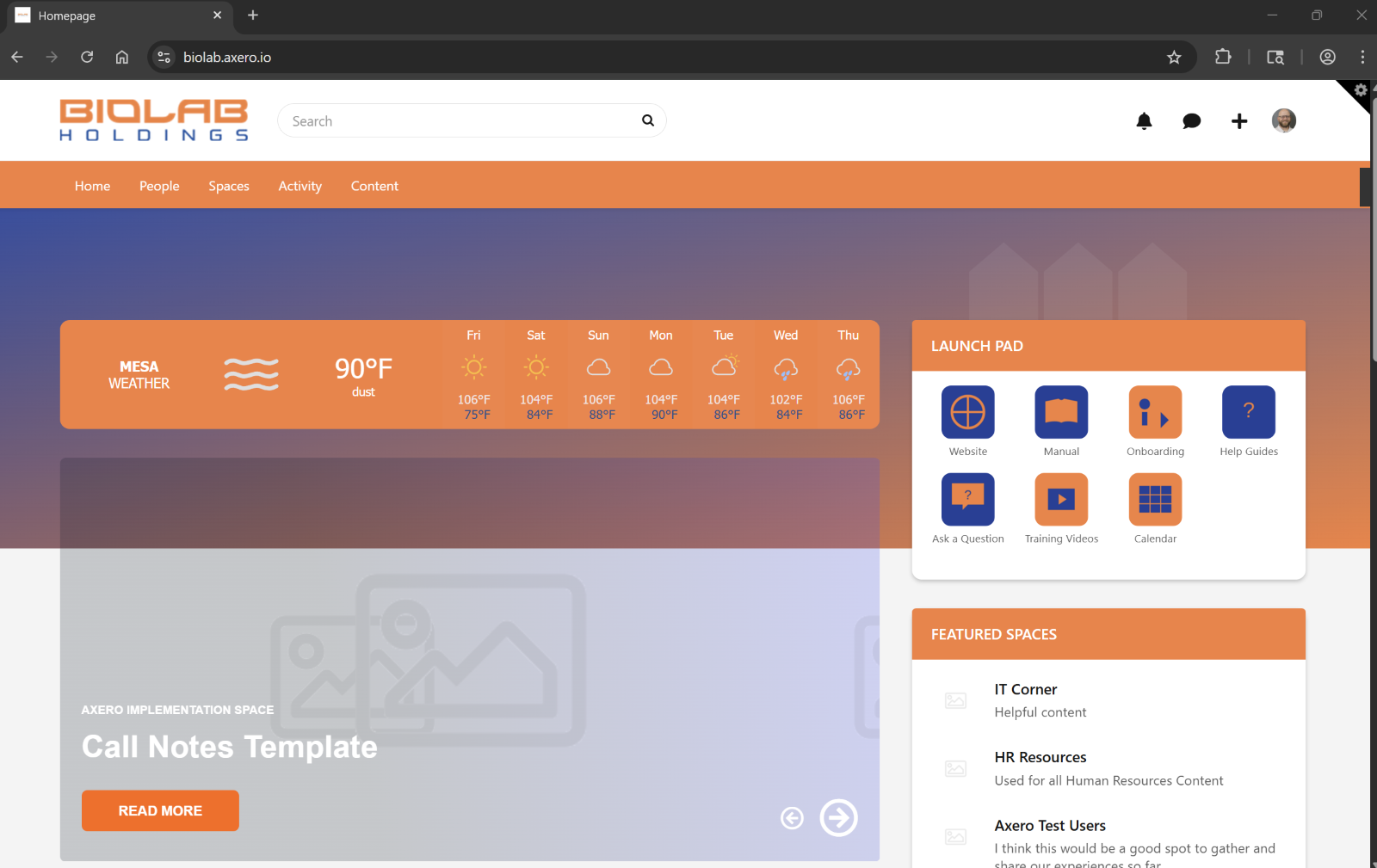
When you open Microsoft Edge or Google Chrome for the first time, you will be landed on the Biolab Intranet page. The Biolab Intranet page is set for Single Sign On.
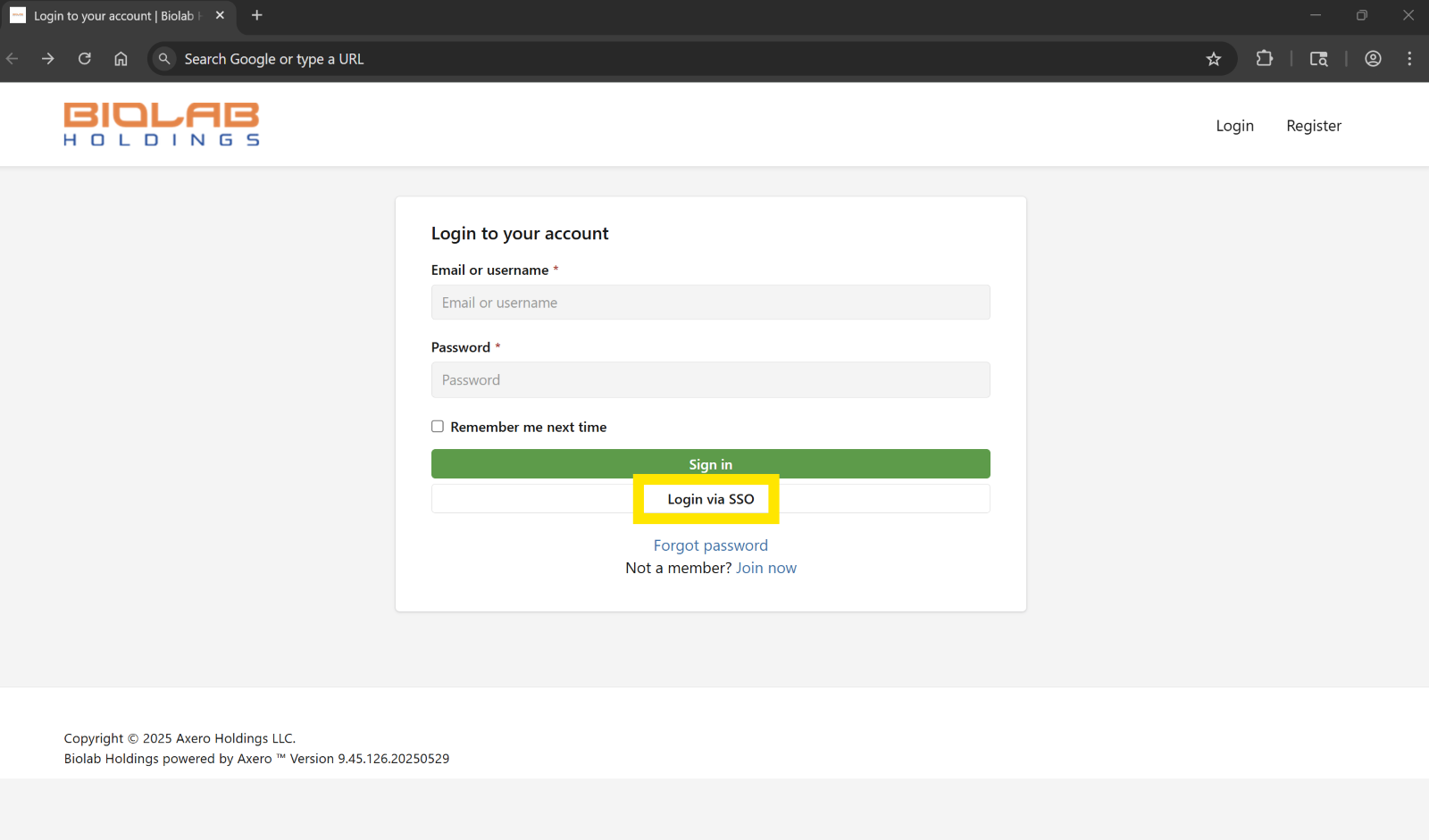
Click on the “Login via SSO”. If you are already signed into your Biolab account, it will auto sign you in after you click this button. If you are not already signed into the Biolab account in another tab, you will need to enter your Biolab credentials.
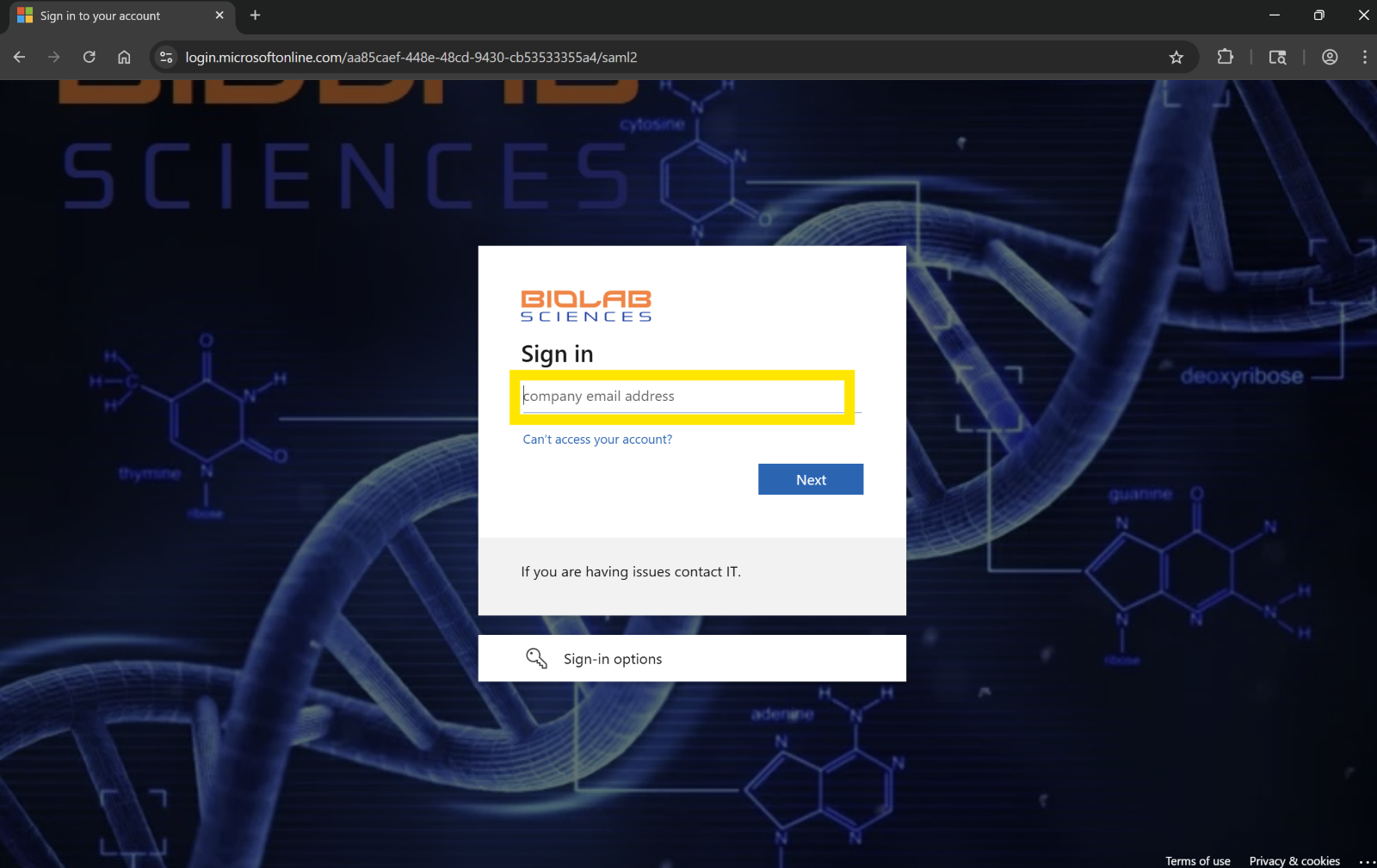
Enter your Biolab email address.
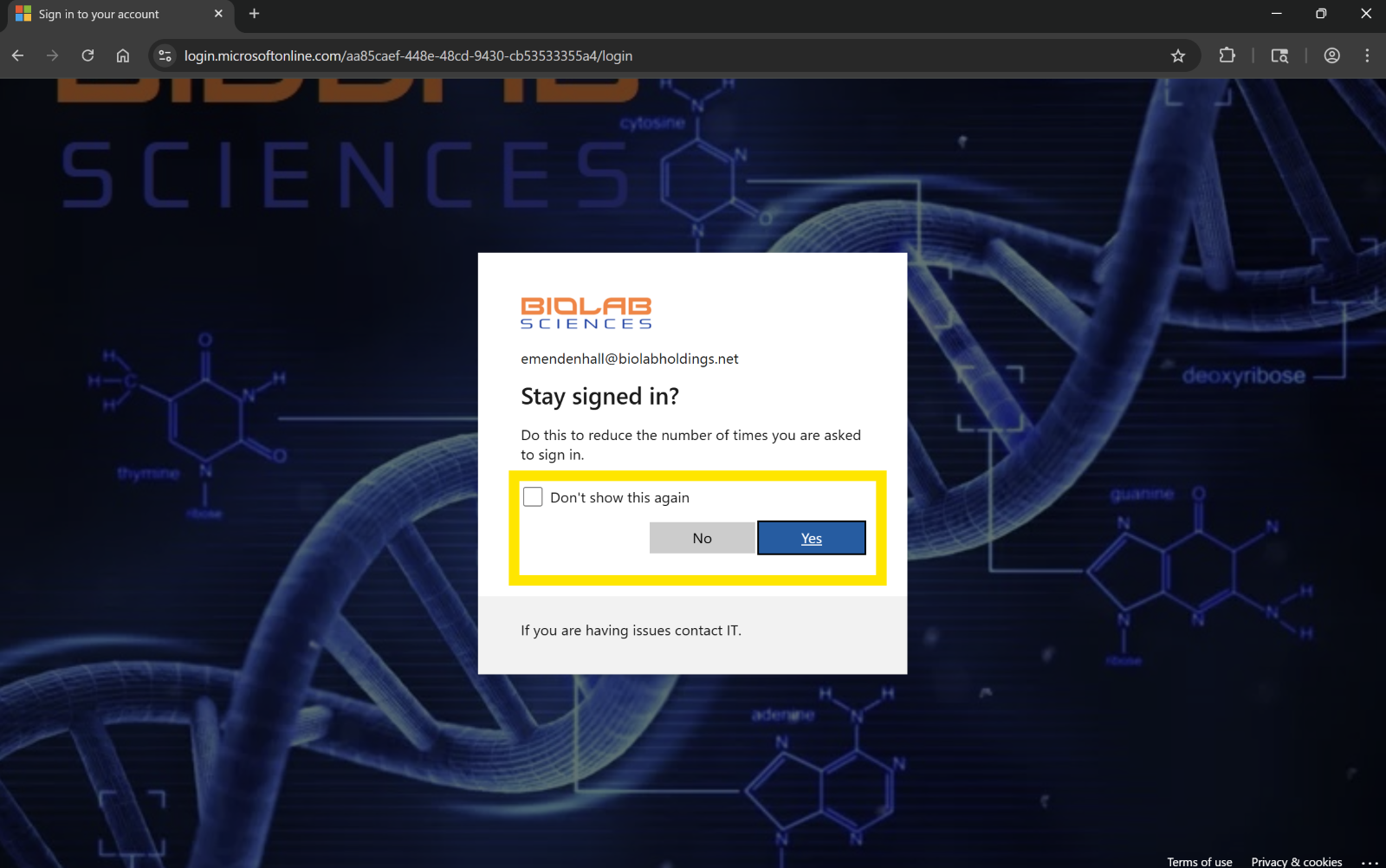
If you are signing into your Biolab assigned computer and you are under your Biolab account, you can chose to “Don’t show this again” and “Yes” to keep you signed in. If you are on your personal computer or a Biolab shared station, leave the “Don’t show this again” unchecked and chose “No” for the stay signed in.
This should sign you into the Biolab Intranet. If you have any issues or questions please open a ticket with the Biolab Helpdesk and we will work with you to get it resolved.